
The Niagara 4 Facility Explorer building management system (BMS) brings Johnson Controls’ Facility Explorer product line together with Tridium’s Niagara 4 BMS. While we do have experience with several Johnson Controls’ products, our specialty resides in the Facility Explorer line.
We have several customers with robust building management systems utilizing Tridium’s older Niagara AX system, as well as their new Niagara 4 product line. Moving forward, new projects will be made with the new Niagara 4 BMS, and we are also in the process of moving some of our customers from the old Niagara AX BMS to the new Niagara 4 system. This is so they can take advantages of the new features that N4 has to offer.
Niagara 4 gives you the ability to monitor and manage your building’s mechanical systems in real-time, giving you up to date information on the status of your building. N4 primarily uses BACnet communication to communicate with Facility Explorer devices as well as 3rd party devices. However, N4 is able to use a wide variety of communication protocols in addition to BACnet, such as N2, IP, etc.
Niagara 4 has a number of applications, including by not limited to:
- System Control & Monitoring
- Custom Control Programming
- 3rd Party BACnet Device Integration
- Scheduling
- Alarm Monitoring
- Report Generation
- Floor Plans
- and much more.
If you want to learn more about Niagara 4, you can find more information here.
System Flow Diagrams
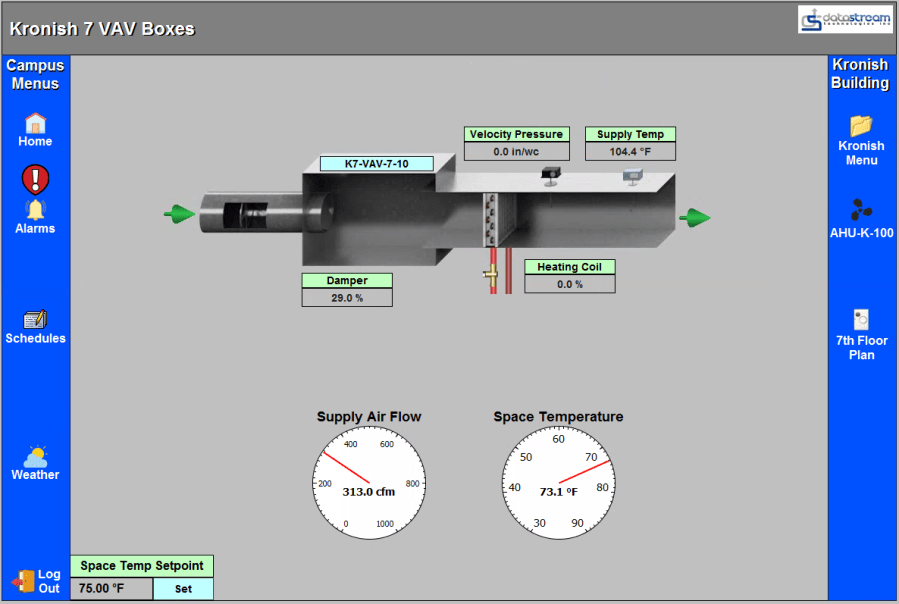
Niagara 4 allows you to view your systems in real time. In addition, you can change setpoints and monitor the response right from the BMS, giving you full control of your system.
Below you can see some example of some of our designed flow diagrams for a variety of systems. The flow diagrams will also dynamically update based on what the system is doing. For example, a heating coil will progressively glow more red as the coil output increases, a fan will show itself spinning when its on and still when its off, etc. In addition, all of those icons on the left and right of the graphics are menus that allow you to seamlessly go through graphics.


Scheduling
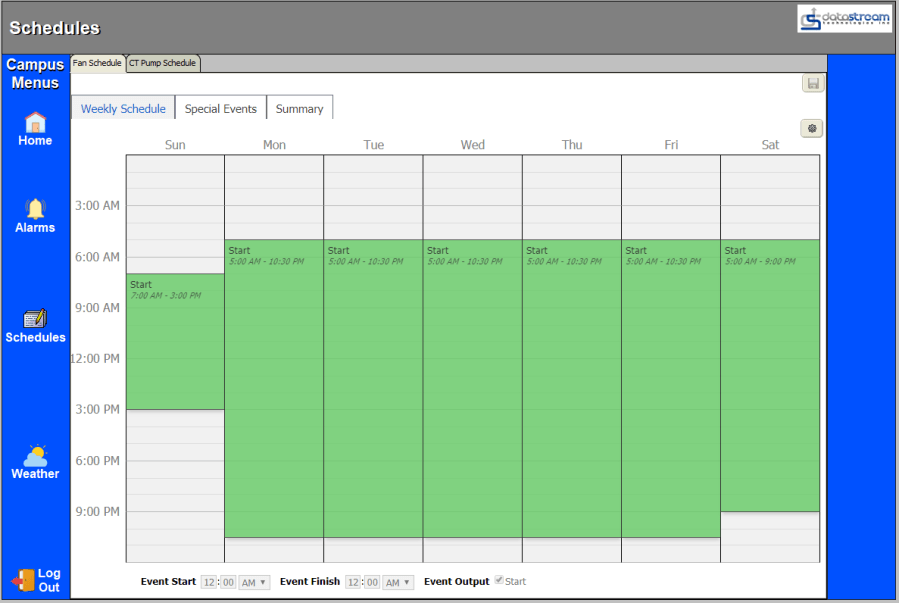
You can also configure schedules for your building management system. This allows you to adjust setpoints, turn points on/off, all based on a schedule you set. This can be a way for you to add morning warmup/cooldown schedules, holiday schedules, occupancy schedules, etc.
Alarm Monitoring
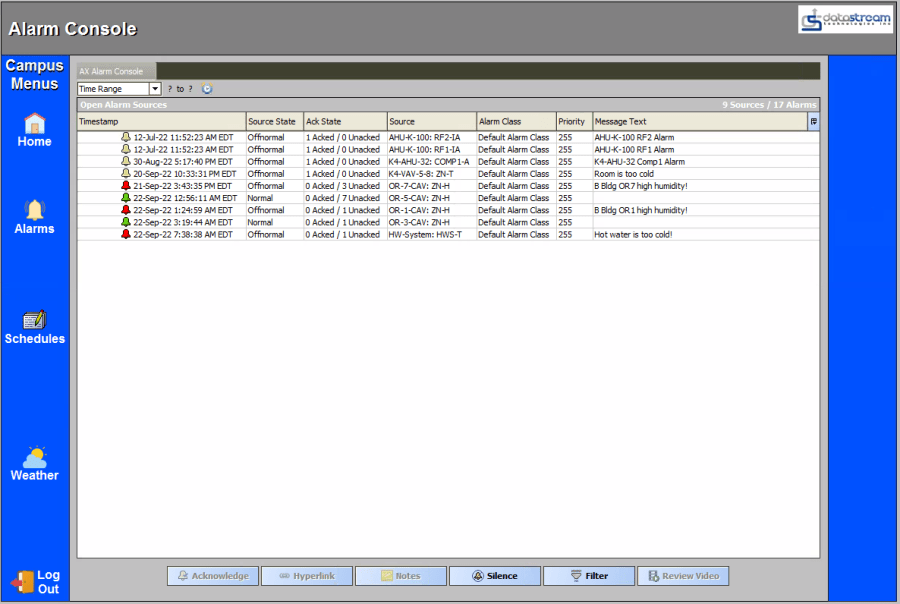
With any BMS system, you’re going to want to be notified when and if things go wrong. Niagara 4 has a robust alarm console, allowing you to see when a problem happened, what point had the issue, pre-set message text, and more.
 DataStream Technologies, Inc.